
USMLE Step 3 Preparation While Working Full Time: A Practical Study Plan
Build a Step 3 routine that can survive long shifts and interrupted weeks. Match questions, CCS cases and review to the time and energy you actually have.
Preparing for USMLE Step 3 while working full time is partly a scheduling problem. A plan that assumes a clear two-hour evening after every shift will be fragile. A more workable approach gives different jobs to short breaks, ordinary evenings and protected time off. CCS Orbit helps make the CCS part practical: full cases on iPhone, offline debriefs and Save & exit when a session is interrupted. Here is how to build those sessions into a broader Step 3 plan.
Key takeaways
- Plan from your real roster and available attention. Treat uncertain time as a bonus rather than essential capacity.
- Give multiple-choice preparation, CCS practice, feedback review and official software rehearsal their own space.
- Use short sessions for specific tasks and protect longer windows for timed practice and assessment.
- Review your work before increasing the workload. An unfinished debrief is part of an unfinished study session.
- Make a reduced plan for difficult weeks so one missed evening does not turn into an impossible backlog.
Start with the time you can reliably use
Look at the next few weeks before choosing a daily question or case target. Mark long shifts, nights, travel, personal commitments and recovery time. Then identify the sessions you can reasonably protect.
Separate your available time into three types:
| Study window | A useful task | What to prepare in advance |
|---|---|---|
| Five to ten quiet minutes | Review one error, explain a concept from memory or read a previous debrief | Keep a short list of specific review targets |
| Around thirty to forty-five minutes | Complete a case and debrief, or a manageable question set with review | Choose the resource and task before the session starts |
| A protected longer block | Timed questions, several cases, assessment or official software practice | Reserve enough time for the attempt and its review |
These are suggested task sizes, not required study durations. A 20-minute CCS case needs additional time for review. If your window is shorter, revisiting one completed attempt can be more manageable than starting a new case.
You can use the free Step 3 study planner to turn your available hours, exam dates and remaining workload into a schedule. Check the result against your actual roster and revise it when that roster changes.
Keep four kinds of preparation in the plan
Multiple-choice practice and content review
Reserve time for your chosen question resource and for understanding mistakes. Set a workload that includes review rather than counting only the time spent answering. A short set reviewed carefully gives you clearer next steps than a larger unfinished set.
When a topic repeatedly causes difficulty, make it a separate learning task. For example, use the free biostatistics practice tool for calculations and interpretation, then check whether that practice improves your handling of related questions.
CCS patient-management practice
Keep CCS in the routine while you are preparing for the multiple-choice component. In a case, you must generate and carry out a plan, follow results and decide what to do next. That needs its own rehearsal.
Orbit gives you 120+ cases at launch, with Learn mode for guidance and Exam mode for attempts without in-case teaching cues. Its 10-minute and 20-minute cases let you choose an attempt that fits the session, while the debrief provides the review task afterward.
Feedback and targeted repeats
Schedule time to inspect your decisions. Pick a missed action, a delayed step or a sequence you want to improve, then choose a follow-up case or repeat with that goal in mind. Our five-minute case-review routine gives you a structure for doing this without turning every debrief into a long note-taking exercise.
Official examination software practice
Use the current official USMLE materials to become familiar with the examination interface. Commercial practice and official software rehearsal have different roles. Reserve time to use the controls yourself, including orders, the clock and case-end behavior.
An example six-hour study week
This is an illustration of how to divide a limited weekly budget. It is not a claim that six hours a week, or any fixed number of weeks, is enough for every candidate. Your starting point, performance and remaining work determine what is realistic.
| Day | Planned session | Minutes |
|---|---|---|
| Monday | Multiple-choice questions and review | 40 |
| Tuesday | One CCS case and its debrief | 35 |
| Wednesday | Multiple-choice questions and review | 40 |
| Thursday | One CCS case and its debrief | 35 |
| Friday | Review one recurring mistake or a small set of learning points | 15 |
| Saturday | Ninety minutes of questions and review, plus a sixty-minute CCS practice block | 150 |
| Sunday | Review the week's gaps and plan the next sessions | 45 |
| Total | Questions, cases, review and planning | 360 minutes: six hours |
Move the longer block to your actual day off. A weekend on call does not become available study time because a template labels it Saturday. On assessment weeks, replace part of the normal workload with the assessment and its review; do not quietly add several extra hours.
The table allocates time rather than promising a question count. Measure how long your own attempts and reviews take, then set targets from that experience. If a case needs more review, adjust the next task rather than forcing both into the same short window.
Make interrupted study useful with CCS Orbit
Orbit's iPhone workflow is particularly useful when your available time changes from day to day. Start a case during a protected window, revisit a debrief in a shorter session, or use Save & exit if you need to stop. The saved case keeps the patient state, orders and remaining time so you can return later.
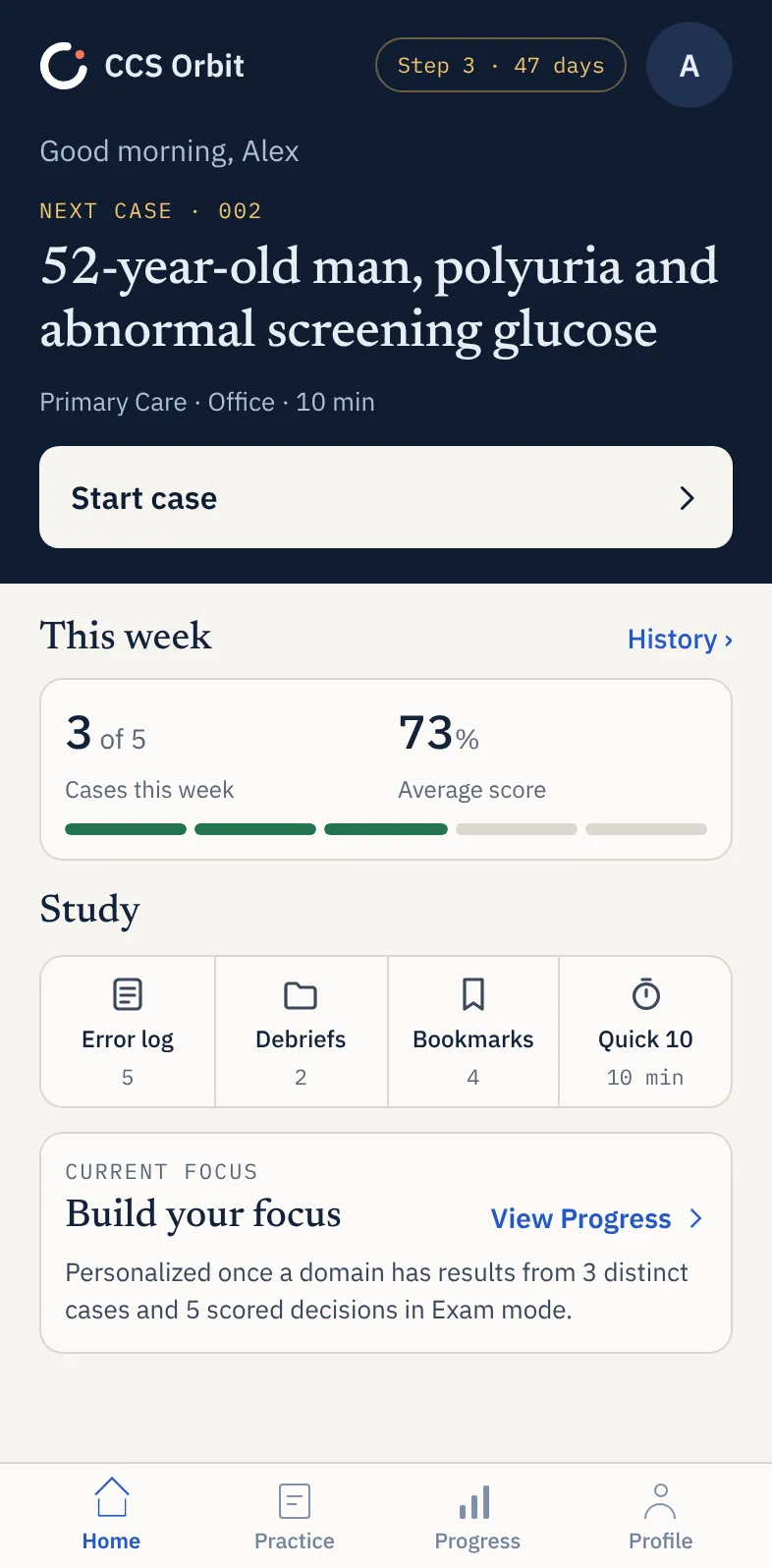
Cases and debriefs work offline once the app is installed and you have access to them. That makes a quiet train journey or a break without reliable internet a possible study window. Downloading or updating the app and purchasing or restoring paid access require a connection.
Choose moments when you can give the task your attention. Study should fit around work responsibilities and rest. NIOSH's guidance on shift work describes fatigue and safety risks from long hours; protecting recovery is part of making a sustainable plan, not time to borrow for another question set.
Give each session one clear job
You can lose a short evening deciding what to do. End each session by choosing the starting task for the next one.
Instead of “do more CCS,” write a small, observable goal:
| Broad intention | More useful next-session task |
|---|---|
| Get better at monitoring | Choose what response to check when starting treatment in the next case |
| Improve timing | Explain what you are waiting for before advancing simulated time |
| Work on disposition | Justify why the patient belongs in the proposed care setting |
| Review weak cases | Reopen one debrief, identify the first decision to change and attempt a related case |
The patient location guide and reassessment guide give you worked prompts for two of those skills. Focus on changing the decision, then inspect the next attempt for evidence that you did it.
Use progress information to change the plan
At the end of the week, ask three questions:
- What did I complete and review?
- Which gaps keep recurring?
- What should I practice differently next week?
In Orbit, the Decision Profile helps you look across management domains. The Error Log brings recurring mistakes into view, and Focus Mode helps you select relevant cases. Inspect an individual debrief to understand the clinical context behind a pattern.
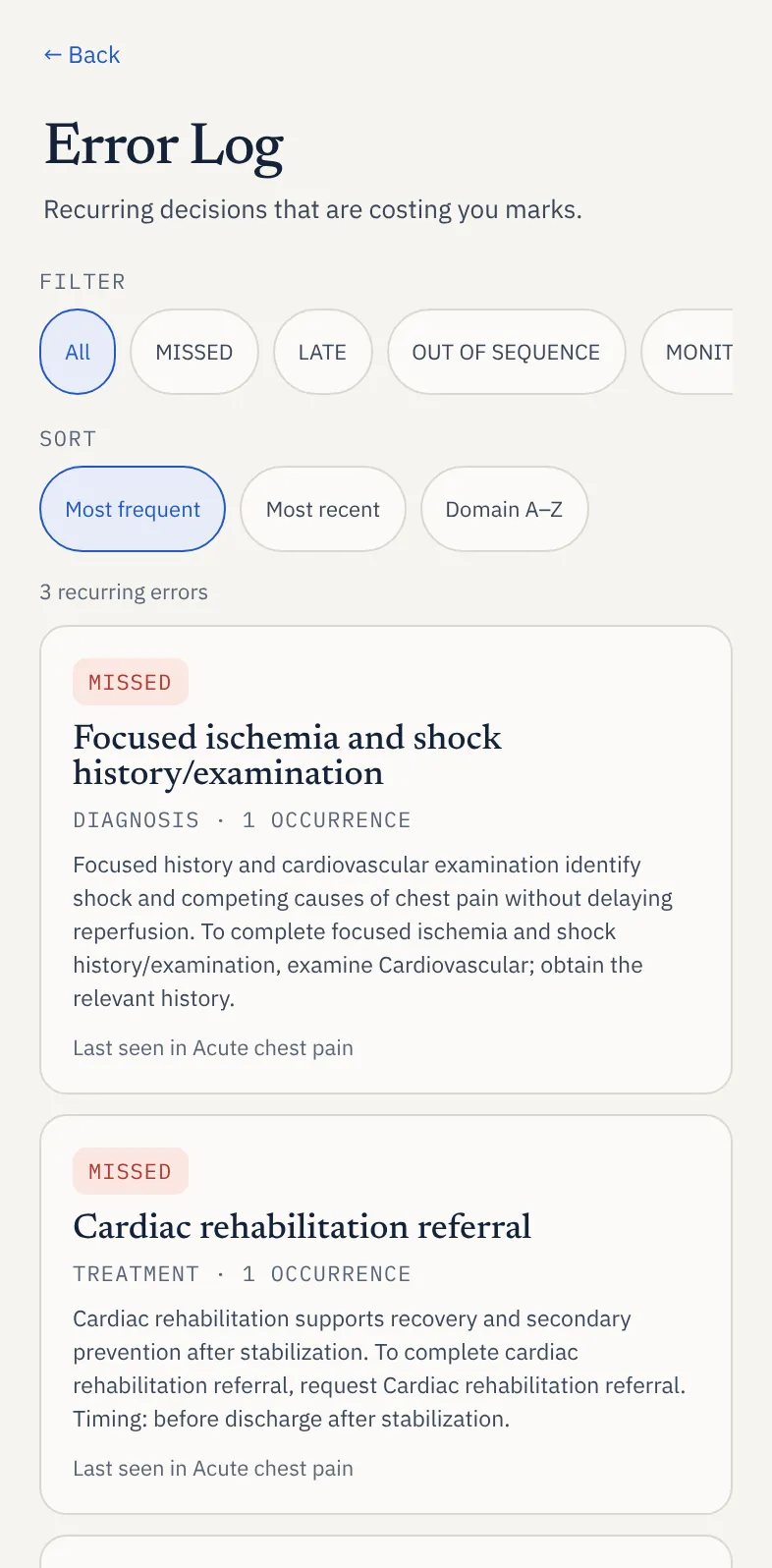
Do not judge progress only by a total or compare a paused, guided attempt with an uninterrupted one as if they measured the same thing. Record the conditions and look for better management. Orbit's domains and scores are a learning framework, not a predicted official result.
What to do when a week goes badly
A difficult week needs a revised plan, not a punishment. First remove the assumption that every missed task must be added to tomorrow.
Reassess the remaining time. Keep the highest-priority gaps, move or reduce lower-priority work and protect your next reliable study window. If you are too tired for an unfamiliar case, choose a brief review when appropriate or rest and resume later.
A reduced week might contain one case with its debrief, one focused question session and one short review of a recurring error. That is an example of preserving continuity, not a minimum workload or a substitute for adequate overall preparation.
If your available time repeatedly falls short of the workload you still need, reconsider the timetable early. Adding more resources rarely solves a lack of usable time. Preparation decisions should reflect your broader assessment evidence and remaining gaps, not a single reassuring practice percentage.
Shift the balance as the exam approaches
Early sessions can emphasize understanding and guided practice. Later, reserve uninterrupted windows to check what you can do independently. For CCS, that means working without in-case prompts and reviewing the decisions afterward. In your multiple-choice preparation, include timed practice using the current format and instructions.
Use the Free 137 guide to plan an official question checkpoint with time for review. Continue practicing CCS separately. If a gap is about the examination controls, return to the official software; if it is a management habit, choose cases and feedback that target it.
Do not fill the final days with an unrealistic backlog. Choose the remaining tasks for a reason and leave room for the practical arrangements around both examination days.
Keep the resource budget manageable too
CCS Orbit brings full case practice and connected review tools into one focused purchase. At launch, try three complete free cases and their debriefs before choosing the full library. The non-renewing 60-day Exam Pass is US$34.99, while lifetime access is US$59.99. Both unlock the same Orbit Plus features.
The pass fits a defined study window; lifetime removes the expiry date if your timetable is less certain. Neither renews automatically. Regional prices and applicable taxes appear in the App Store purchase sheet. Our budget CCS guide explains how to compare access periods and avoid overlapping purchases.
Orbit is coming soon to the App Store. See the iPhone workflow, build a free study schedule or get notified at launch.
Sources and further reading
Official resources checked October 20, 2026. The weekly schedule and study routines are CCS Orbit's planning suggestions, not validated readiness thresholds or guarantees about preparation time.