
Step 3 CCS Practice on a Budget: What Is Worth Paying For?
Your Step 3 prep is expensive enough. Here is where free resources help, what paid case practice should add and how CCS Orbit keeps the cost manageable.
Your Step 3 prep is expensive enough. You should not need several overlapping purchases to practice managing CCS patients. Start with the free official software, then choose a case library that gives you useful feedback and fits your study routine. CCS Orbit makes that a lower-cost choice: 120+ cases on iPhone, offline practice and connected review tools, with a US$34.99 non-renewing 60-day Exam Pass at launch. This guide explains what is worth paying for—and where you can keep your money.
Key takeaways
- Use the free official USMLE practice software to learn the examination controls. Paying for a commercial resource does not remove that step.
- Buy a useful practice-and-review workflow: full cases, feedback on decisions and a clear way to choose the next thing to improve.
- CCS Orbit's launch offers are three complete free cases, a US$34.99 60-day Exam Pass and US$59.99 lifetime access. Both paid plans unlock the same full library and features.
- Compare access periods as well as prices. Orbit's Exam Pass costs US$60.01 less upfront than CCSCases' published US$95 two-month option.
- Budget for CCS separately from the rest of Step 3. A focused CCS app and a broader question-bank bundle are different purchases.
Start with the CCS skills you actually need to practice
CCS preparation involves more than remembering the diagnosis or reading a list of orders. You need to initiate management, obtain results, respond to changes, reassess treatment and choose appropriate ongoing care. Official USMLE guidance describes CCS as patient management over simulated time and emphasizes familiarity with the software before test day.
A sensible budget therefore covers two jobs:
- Learn the official controls. Use the free USMLE tutorial and practice cases to rehearse order entry, the chart, the clock and case-end behavior.
- Build management habits through case practice. Work through varied presentations, examine your decisions and repeat the parts you need to improve.
The first job has a free official starting point. The second is where a well-designed paid resource can earn its place. You are paying for opportunities to practice and learn from your own decisions, rather than simply buying access to more reading.
What can you use for free?
The official USMLE CCS materials
Begin at the official Step 3 resources page and follow the current interactive testing and CCS instructions. Use the official CCS overview to understand how the patient, orders and simulated time interact.
Make interface practice active: enter orders, review the chart, obtain results and work through the closing stage yourself. Watching a demonstration can introduce the workflow, but you still need to operate it.
Free planning and reference tools
You can organize your preparation without another purchase. CCS Orbit's free study tools include:
- A Step 3 study planner to allocate questions, cases and review around your available time.
- A CCS mnemonic database for searchable reminders, with PDF and CSV downloads.
- A biostatistics practice tool for calculations and interpretation alongside your CCS preparation.
These are useful supporting resources. A mnemonic can remind you what to consider; a case asks you to decide whether and when it belongs in this patient's care.
Three complete CCS Orbit cases at launch
CCS Orbit is coming soon to the App Store. At launch, three complete cases and their debriefs will be free, with no CCS Orbit account or card required. That lets you experience the management-and-review loop before choosing paid access.
Use those attempts to assess the things that matter: can you practice comfortably on your phone, understand the feedback and identify what to change next time? A trial is most useful when you review the result, not just open the first screen.
What is worth paying for in a CCS resource?
Full cases with enough variety to challenge your habits
A useful library lets you work through unfamiliar presentations, different care settings and the consequences of your choices. Case count matters, but it is only one part of value. A completed case should leave you better able to manage a similar patient, rather than simply move a counter forward.
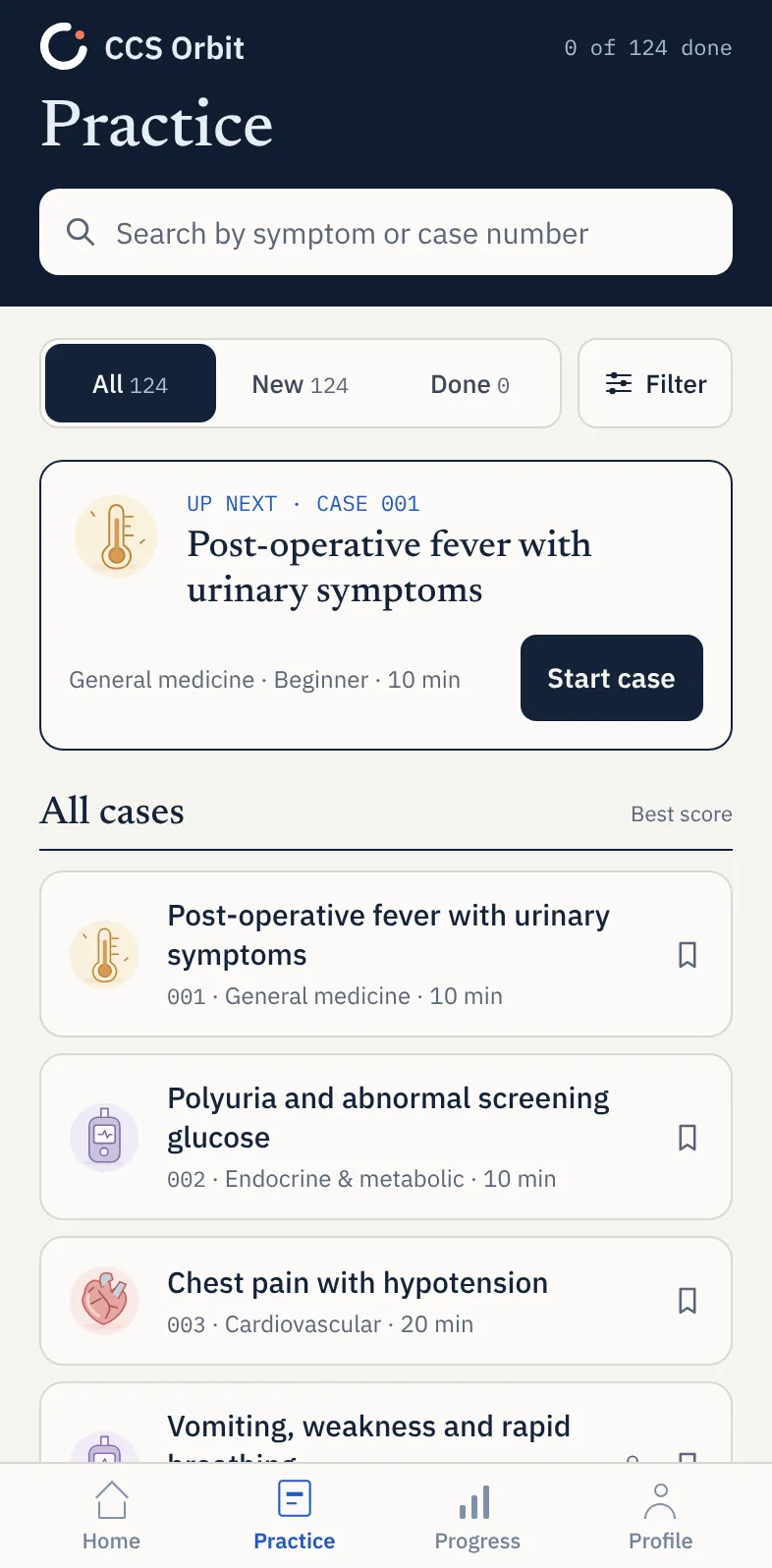
Orbit offers 120+ cases at launch, including 10-minute and 20-minute cases. Its iPhone workflow brings order entry, patient updates, reassessment and case review together in one place.
Feedback that explains the decision behind the result
A total alone does not tell you whether you missed a treatment, delayed reassessment or chose the wrong care setting. Look for explanations that make your next session more purposeful.
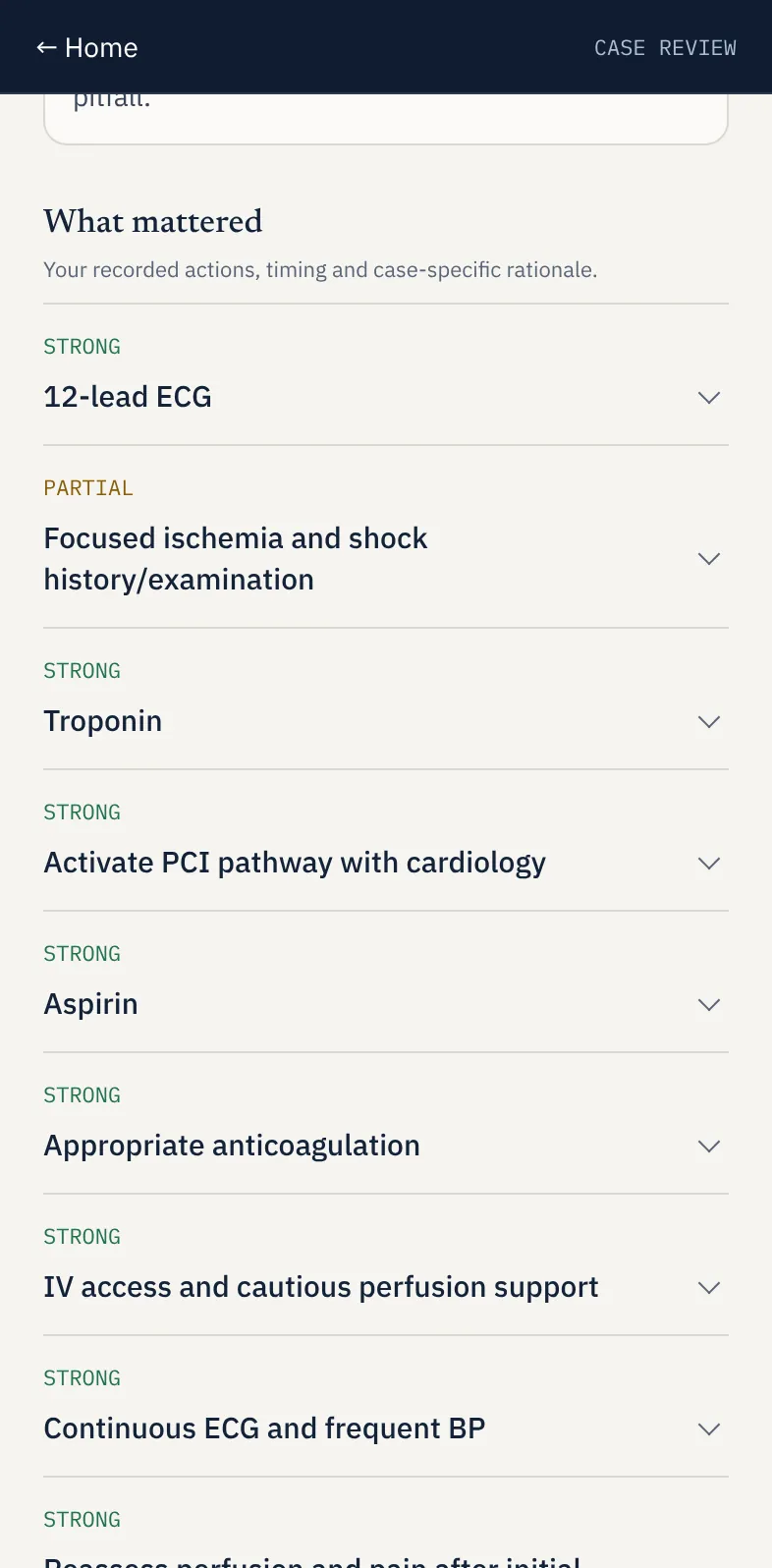
Orbit's debriefs connect feedback to diagnosis, treatment, monitoring, timing, sequencing and location. You can examine what you completed, missed or delayed and identify a specific decision to improve. These are educational domains, not the official USMLE scoring formula or a prediction of your exam result.
A way to carry learning into the next attempt
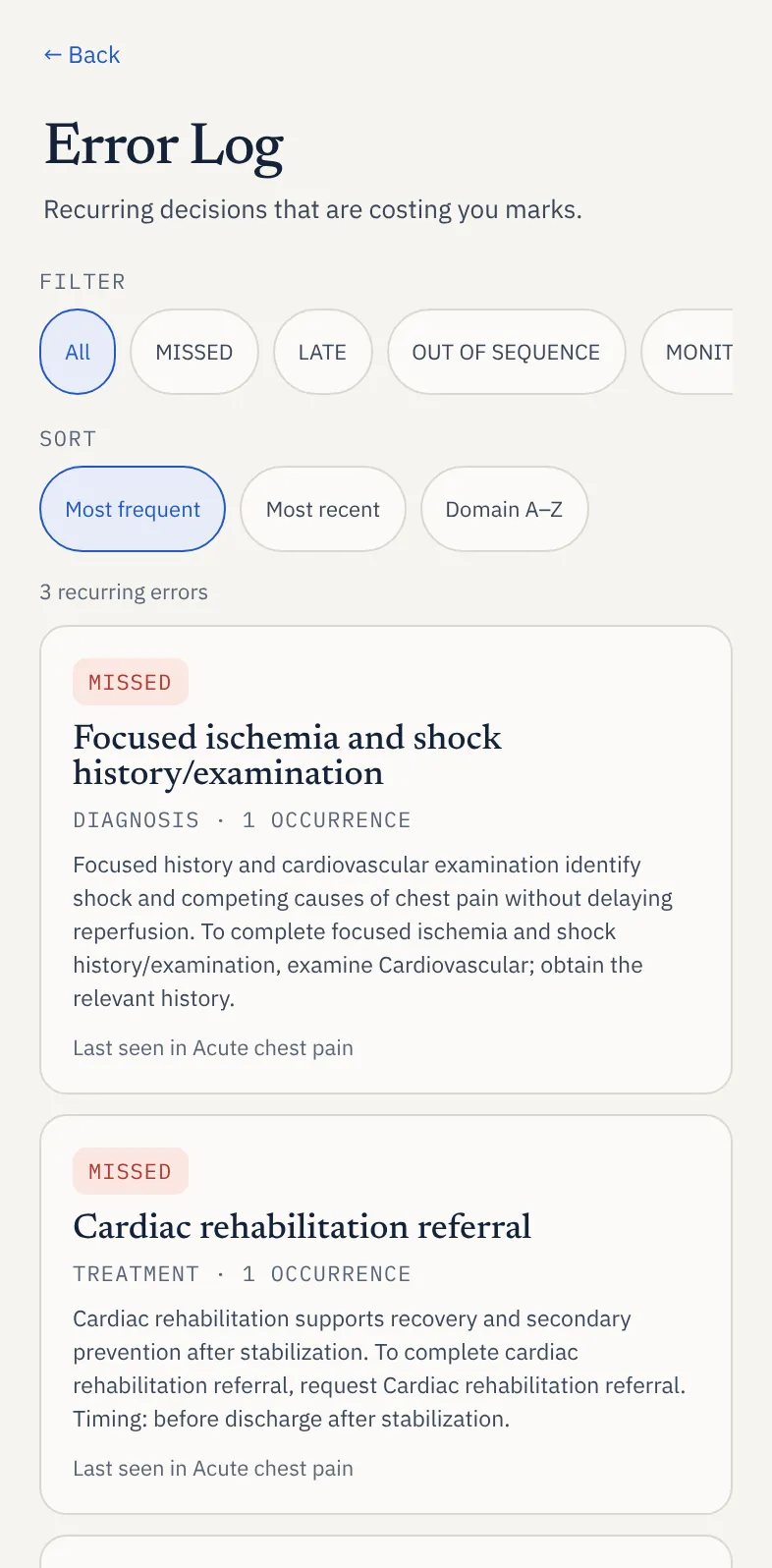
One useful debrief is a start. A record of recurring mistakes helps you make better use of a whole practice library. Orbit's Decision Profile shows patterns across management domains, the Error Log brings mistakes back into view, and Focus Mode helps you select relevant cases.
If you keep overlooking monitoring, for example, your next goal can be to choose what needs checking when you start treatment. That is more actionable than buying another library and repeating the same habit. Our five-minute case-review routine explains how to turn feedback into a practice target.
Access you will actually use
An affordable resource should fit the opportunities you have to study. Orbit's cases and debriefs work offline once the app is installed and you have access to them. Save & exit preserves an interrupted case so you can return later. Downloading, purchasing or restoring access requires internet.
Use Learn mode for guidance and trap warnings while building your approach, then Exam mode for attempts without in-case teaching cues. Keep some sessions uninterrupted as the examination approaches. See the iPhone practice walkthrough for the full workflow.
How much does budget CCS practice cost?
Here is a practical comparison of selected access options. Prices are in US dollars, checked October 19, 2026. Orbit's prices are its announced launch offers; competitor access is currently available. Promotions and final checkout prices can change.
| Option | Access period | Upfront price |
|---|---|---|
| CCS Orbit Exam Pass | 60 days; one-time purchase, no automatic renewal | US$34.99 |
| CCS Orbit Lifetime | No expiry; one-time purchase | US$59.99 |
| CCSCases | Two calendar months | US$95 |
| StudyCCS | One month; displayed sale price | US$79 |
| StudyCCS | Six months; displayed sale price | US$89 |
Orbit's Exam Pass is US$60.01 less upfront—about 63% lower—than CCSCases' two-month price. Sixty days and two calendar months can differ slightly in length. Compared with StudyCCS' displayed one-month offer, Orbit costs US$44.01 less and provides a longer access window.
These are price comparisons, not identical product bundles. CCSCases includes a question bank, and StudyCCS includes additional Step 3 resources. If your main need is focused CCS practice on iPhone, Orbit offers a lower upfront cost with full cases, offline access and feedback tools included. Read the detailed CCSCases comparison or StudyCCS comparison if those differences matter to your choice.
Exam Pass or lifetime: which Orbit plan makes sense?
Both plans unlock the complete library and the same Orbit Plus features. You are choosing an access period, not paying extra for better feedback.
| Your situation | A sensible choice |
|---|---|
| You are trying the app before spending | Three complete free cases at launch |
| Your planned CCS preparation fits within 60 days | US$34.99 Exam Pass |
| Your timetable is uncertain or you want to keep returning | US$59.99 lifetime access |
The Exam Pass gives you the lowest paid entry price. Lifetime costs US$25 more and removes the expiry date. Two separately purchased Exam Passes would total US$69.98, which is US$9.99 more than lifetime. If you expect to need two access periods, lifetime is the cheaper upfront plan than buying both separately.
You do not need lifetime simply because it exists. Choose the pass if it covers your preparation window. Neither plan renews automatically. The Exam Pass starts at purchase; regional prices and applicable taxes appear in Apple's purchase sheet. Compare the listed prices without assuming a future discount or upgrade credit.
Where to avoid unnecessary spending
Do not buy a second CCS library without identifying the gap it will fill. If you have not reviewed your first attempts, more cases can mean more opportunities to repeat an unresolved mistake. Try a targeted repeat and inspect the next debrief first.
Do not buy a broader bundle just for a feature you already have elsewhere. If your multiple-choice preparation is covered, compare the additional cost of focused CCS access. If you need a question bank too, assess that separate need on its own merits.
Do not judge value by price per advertised case alone. A resource with more cases is not automatically better value for the learner who will only complete a smaller number. Consider the feedback, time available and how readily you can return to difficult decisions.
Do not pay for certainty a practice score cannot provide. Commercial scores can help identify learning needs, but they do not reproduce the proprietary official algorithm or guarantee a result. Use your feedback to improve management rather than chase a promised pass threshold.
A simple CCS plan for a limited budget
Start with the official software and the free planning tools. At Orbit's launch, work through the three free cases and review each debrief. If the workflow fits and you want the full library, choose the access period that covers your preparation.
Then give each session a purpose:
- Complete a case and review the important decisions.
- Write down one missed action or sequence to improve.
- Choose a related case or targeted repeat.
- Check whether you made that decision more effectively.
- Return to the official software to rehearse the examination controls.
This keeps spending tied to practice you will use. The amounts above cover the CCS resources described, not examination fees, travel or all multiple-choice preparation.
Affordable practice should still help you improve
CCS Orbit is attractive on price, but its stronger proposition is what that price includes: a full iPhone case library, offline access, detailed debriefs and tools that connect one attempt to the next. You can use it as your focused paid CCS resource alongside the free official software, without needing to buy another commercial case bank.
Start with three free cases when the app launches. Choose the Exam Pass for a defined study window or lifetime access for flexibility. Explore how CCS Orbit works, compare the plans or get one email at launch.
Sources and pricing notes
Provider information checked October 19, 2026. Savings use the listed upfront US-dollar prices before any regional pricing differences, applicable taxes or later promotions. This is a CCS Orbit guide; the recommendations reflect its focus on affordable iPhone CCS practice.