
CCS Order Entry: The Vocabulary and Mechanics Worth Rehearsing
The CCS order sheet takes free text, recognizes three characters, and does not want your doses. Understanding how it actually works returns real time to your clock on test day.
There are two ways to lose a CCS case. One is clinical: you did not know what the patient needed. The other is mechanical: you knew exactly what the patient needed and spent forty seconds trying to make the software accept it.
The second kind is entirely preventable, and it is worth more than most candidates realize. With a maximum of 10 or 20 minutes of real time per case, a minute spent fighting the order sheet is roughly a tenth of a short case — gone, with nothing to show for it.
This is a guide to how the order sheet actually behaves, and to the vocabulary worth practicing before test day.
In this article
- Orders only count in one place
- Free text, and no command words
- The three-character rule
- Confirming, routes and frequencies
- You do not type doses
- Report times and the clock
- Orders that already exist when you arrive
- Canceling an order
- The vocabulary to rehearse
- When the system will not recognize your term
- FAQ
Orders only count in one place
The patient chart has several sections — progress notes, vital signs, lab reports, imaging, other tests, the treatment record — and exactly one of them accepts orders.
Per the USMLE's CCS materials, orders can only be placed in the order sheet section of the chart. Typing management requests into progress notes, vital signs, lab reports, imaging, other tests or the treatment record is not permitted.
This sounds trivial until you consider what a candidate does under pressure: they open the chart, find themselves in whichever section they last used, and start typing. The other sections are for reading. The order sheet is for doing.
Learn the chart's geography before test day, not during it. Knowing which tab you need without looking is worth several seconds per order, and you will place a lot of orders.
Free text, and no command words
The order sheet takes free text, and it does not require you to write like a database.
You do not need command words such as "administer" or "draw." You write the thing you want. "Aspirin." "Chest x-ray." "Type and screen." The system is designed to interpret a physician's request rather than a query.
It also accepts more than one order at a time. In the USMLE's own walkthrough of running a case, the demonstrating physician types a list — "CBC, CMP, ESR, and Arthrocentesis" — as a single entry rather than four separate ones.
That last detail is worth building into your habits. Grouping related orders into one entry is faster than placing them one by one, and it maps naturally onto how you think: not "order a CBC, then think again, then order a CMP," but "I want baseline bloods and a diagnostic tap."
Just keep the groups purposeful. Batching a small set of orders that belong together is efficiency. Batching twenty orders at minute one because you have not decided anything yet is a different problem, and one the timing and sequencing article covers.
The three-character rule
This is the single most useful mechanical fact about the order sheet: the system recognizes the first three characters of an order's name or acronym.
Type "xra" and it will prompt you and display matching orders beginning with those characters. Type "ECG" and the same thing happens. You are not required to produce a complete, correctly spelled order name — you produce enough for the software to offer you a list, then you pick.
Two practical consequences.
Spelling anxiety is largely misplaced. Candidates worry about the exact spelling of the drug or study they want. Three characters plus a selection from a list removes most of that risk.
Distinguishing between similar options is where the real time goes. In the USMLE's walkthrough, the physician ordering a synovial fluid analysis has to specify "cell count, synovial fluid" among comparable options. The three characters get you to a list; knowing which entry on the list you actually want is a vocabulary skill, and it is the part worth practicing.
Confirming, routes and frequencies
Every order goes through confirmation. Per the USMLE walkthrough, the software prompts you to confirm each order or, where applicable, to select the frequency — the example given is "once every eight hours."
For medications, you also select the intended route of administration. This is a clinical decision the software will not make for you, and it is one where errors are consequential: the same drug given orally, intravenously, intramuscularly or by nebulizer is a different clinical action with a different onset.
So the useful mental habit when ordering a medication is three-part: what, by what route, how often. Practice thinking in that shape and the confirmation prompts stop feeling like interruptions and start feeling like the form your decision already takes.
You do not type doses
Worth stating on its own, because it removes a whole category of test-day worry: according to the USMLE's walkthrough of running a case, the software optimizes dosages for you. What you supply is the drug and the route, and the frequency where the system asks for it.
You are not being assessed on your ability to recall a milligram-per-kilogram figure under time pressure in this format. You are being assessed on whether the right drug reaches the right patient by a sensible route at a sensible interval.
This is genuinely liberating in a short case. It also means the time you might have spent second-guessing a dose is better spent on the question that actually earns something: is this the right agent for this patient right now, and have I checked the things that would make it unsafe?
Report times and the clock
When you confirm orders, report times appear on the order sheet. Those are the moments at which results will be available — and you have to advance the simulated clock to reach them.
The interface labels this in plain clinical language rather than as a "clock" control: the options are to obtain results or to see the patient later, at a timeframe you choose. Functionally, this is the mechanism described in the clock article, and the report times on the order sheet are the information you use to choose an interval.
The practical routine: place orders, read the report times, advance to the earliest one that matters, act on what comes back.
Orders that already exist when you arrive
Here is a detail that catches out candidates who have only practiced acute emergency-department scenarios.
In some settings — an office or an inpatient unit — the patient may already have orders in place when the case begins, displayed with a timestamp of Day 1 at 00:00. These are not yours. They are the existing management you have inherited, and part of your job is to decide, actively, whether each one should continue or be canceled.
Inheriting a medication list is an entirely ordinary clinical situation and an entirely ordinary source of harm. An inherited order can be the wrong drug for the new problem, contraindicated by something you are about to do, or simply no longer indicated. Reviewing what is already running is a management decision, and skipping the review is also a management decision — just an unexamined one.
Habit worth building: on any case that does not start in an emergency, read the order sheet before you write on it.
Canceling an order
Orders can be canceled. Per the USMLE's materials, if a physical examination reveals findings that make an order inappropriate — and the order has not yet been processed — you can cancel it by clicking on the order and confirming the cancellation.
Two situations where this matters:
You learned something. You ordered a study, then examined the patient and found the thing that makes the study pointless or harmful. Canceling is the correct clinical response, and leaving it running is not made better by the fact that you meant well when you placed it.
You changed your mind about the plan. As a case evolves, orders that were reasonable at minute two can become wrong by minute six. Contradictory orders left active are part of the record of your management.
Canceling remains available during the case-end period, which makes a final scan of the order sheet a sensible closing habit — see the final two minutes.
The vocabulary to rehearse
The three-character rule means you do not need perfect recall. You do need enough of the standard term to start it, and enough familiarity to pick the right entry from a list of similar ones.
The vocabulary that serves you is ordinary, standard clinical language — the names a physician writes in a chart, not colloquialisms and not brand names. A practical way to rehearse is by category rather than by memorizing a list:
Rehearse by category, not by list
- Diagnostics. Standard acronyms and names: CBC, CMP, BMP, ECG, chest x-ray, CT, ultrasound, ABG, urinalysis, cultures, type and screen, coagulation studies, troponin, lactate, beta-hCG. Practice the ones you would reach for in your five most likely presentations.
- Medications by generic name. Generic, not brand. And practice the route with it — the same agent is a different order intravenously than orally.
- Monitoring. Continuous pulse oximetry, cardiac monitoring, blood pressure monitoring, intake and output, serial vital signs, neurologic checks, glucose monitoring. These are orders, not intentions.
- Procedures. Intravenous access, intubation, lumbar puncture, thoracostomy, arthrocentesis, paracentesis, catheterization, wound care.
- Consults. Specialty consultation is orderable, and in many scenarios it is the correct move rather than a way of avoiding a decision.
- Nursing orders. Positioning, precautions, NPO status, activity restriction, isolation.
- Counseling and advice. These are written as plain phrases — the USMLE's own examples are "smoking cessation" and "low-fat diet." Also: alcohol counseling, diet and exercise, adherence, safe sex, injury prevention, vaccinations.
The counseling category deserves emphasis, because candidates routinely under-order it. It is written in exactly the plain language you would use out loud, it takes seconds, and it belongs to the category of management that gets deferred until the case ends. Practicing the phrasing removes the excuse that you were not sure how to enter it.
When the system will not recognize your term
If what you typed does not produce the option you wanted, work through this in order:
- Use the generic name, not a brand name or a local nickname.
- Use the standard acronym if there is a widely used one — three characters of "ECG" is faster than spelling out the full study.
- Describe the action in plain clinical English. For counseling, nursing orders and simple interventions, the plain phrase is usually the entry.
- Try the anatomical or specimen-based phrasing. As the USMLE's walkthrough shows, some entries are named by specimen and measurement — "cell count, synovial fluid" — rather than by the shorthand you use verbally.
- Order the more general version and move on. A short case does not reward a thirty-second search for a precisely worded entry when a standard equivalent is one keystroke away.
The meta-skill is knowing when to stop looking. Perfect wording is worth very little; the clock is worth a lot.
Rehearsing the vocabulary
Order practice you can do in a queue
The order sheet is a motor skill, and motor skills come from repetition rather than reading. CCS Orbit puts interactive Step 3 CCS cases on your phone with a searchable order catalog covering diagnostics, treatment, monitoring, procedures, consults and counseling — so you build the habit of reaching for the standard term and choosing a route and frequency, case after case.
Orbit’s searchable ordering workflow is built for touch, with 120+ interactive cases and debriefs that help you identify missed decisions. Combine that practice with the free official USMLE software to rehearse the exact exam controls.
Three cases are free. Orbit Plus offers a 60-day Exam Pass for US$34.99 or lifetime access for US$59.99. These are the only two paid options. Both are one-time purchases with no automatic renewal or monthly subscription. Regional prices and applicable taxes appear in the App Store purchase sheet. See Orbit Plus options.
Available on the App Store soon. Get one email at launch →
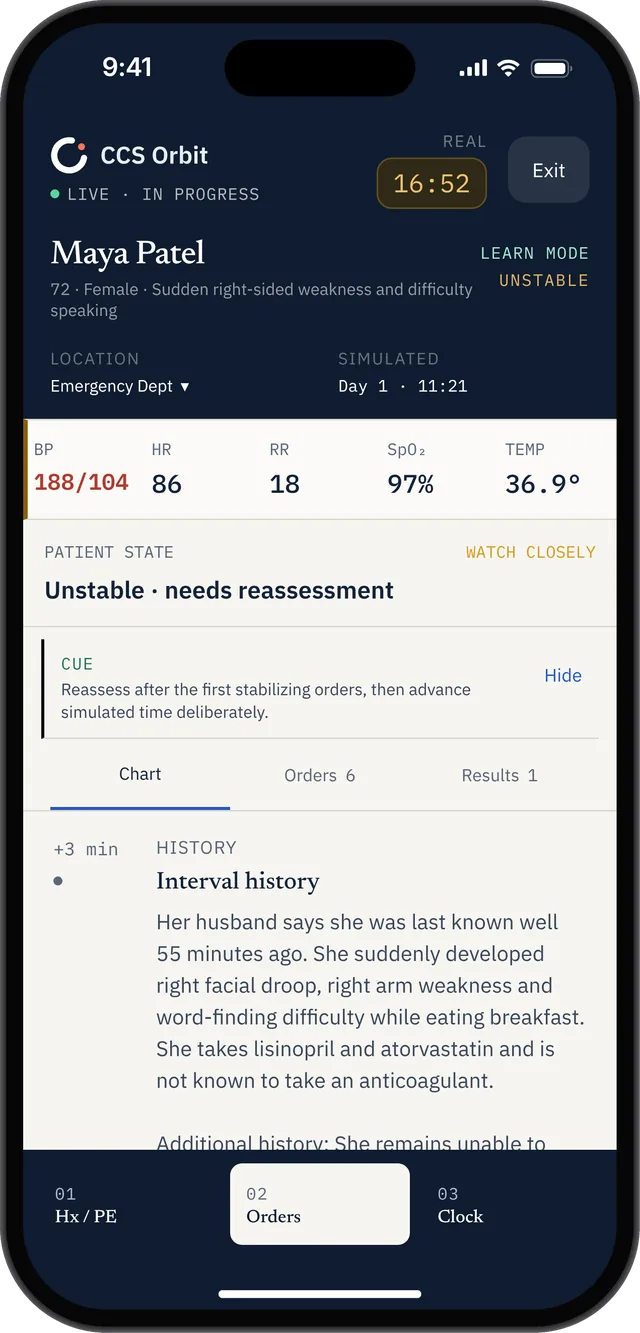
The patient view keeps vital signs, location and the management timeline visible, with Orders one tap away.
FAQ
Do I need to spell orders correctly in CCS?
Not exactly. The system recognizes the first three characters of an order's name or acronym and then displays matching options for you to select — so typing "xra" or "ECG" is enough to be offered the relevant orders. What matters more than spelling is knowing which entry on the resulting list you actually want.
Do I have to enter drug doses?
No. According to the USMLE's walkthrough of running a CCS case, the software optimizes dosages. You select the drug and its route of administration, and the frequency where the system prompts for one.
Can I order several things at once?
Yes. The order sheet accepts a list — the USMLE's own demonstration types "CBC, CMP, ESR, and Arthrocentesis" as a single entry. Each order is then confirmed individually, with a route or frequency selected where applicable.
Can I order counseling and nursing instructions?
Yes. The order sheet accommodates diagnostic tests, medications and treatments, procedures, consultations, nursing orders, and patient counseling and advice — the USMLE gives "smoking cessation" and "low-fat diet" as examples of the latter, written as plain phrases.
What if the patient already has orders when the case starts?
In some settings, such as an office or inpatient unit, existing orders appear at case start with a Day 1 at 00:00 timestamp. You are expected to decide whether to continue or cancel each one — reviewing inherited orders is part of managing the patient, not background scenery.
Can I cancel an order after placing it?
Yes, provided it has not yet been processed. Click the order and confirm the cancellation. This is the correct response when an examination finding or a change in the patient's condition makes a pending order inappropriate.
Keep reading
Sources
- USMLE, Computer-based Case Simulations — order sheet restrictions, free-text entry, three-character recognition, orderable categories, pre-existing orders, cancellation, report times.
- USMLE, How to Run a Step 3 CCS Case (video transcript, PDF) — batch order entry, confirmation and frequency prompts, route selection, dosage optimization, obtaining results.
- USMLE, Step 3 Exam Content — per-case real-time limits.